
Short answer: A ticketing system turns every customer request, whether it arrives by email, phone, WhatsApp, a web form or at the counter, into a ticket with an owner, a priority and a due time. Your team works from one shared inbox, nothing is forgotten, and you can see what is overdue. Small businesses can set one up in about a week.
In most small businesses, support lives in personal inboxes, phone call notes and WhatsApp chats. It works until the person who knew about a complaint is on leave, or a customer follows up for the third time. A helpdesk ticketing system fixes this without adding staff.
Signs you need a ticketing system
- Customers ask “any update?” more than once.
- Two people reply to the same customer, or nobody does.
- You cannot say how many requests are open today.
- Answers to common questions are typed again and again.
- You have no record of what was promised to a customer last month.
How a ticketing system works
- Every request becomes a ticket with a number, the customer’s details, a category and a priority.
- It is assigned to the right person or team, automatically or by a supervisor.
- A timer starts for the first response and for resolution, based on your service level agreement (SLA).
- The team replies and works on the ticket, adding private notes for colleagues.
- The ticket is resolved and the customer can rate the service.
The features that matter
One shared inbox for every channel
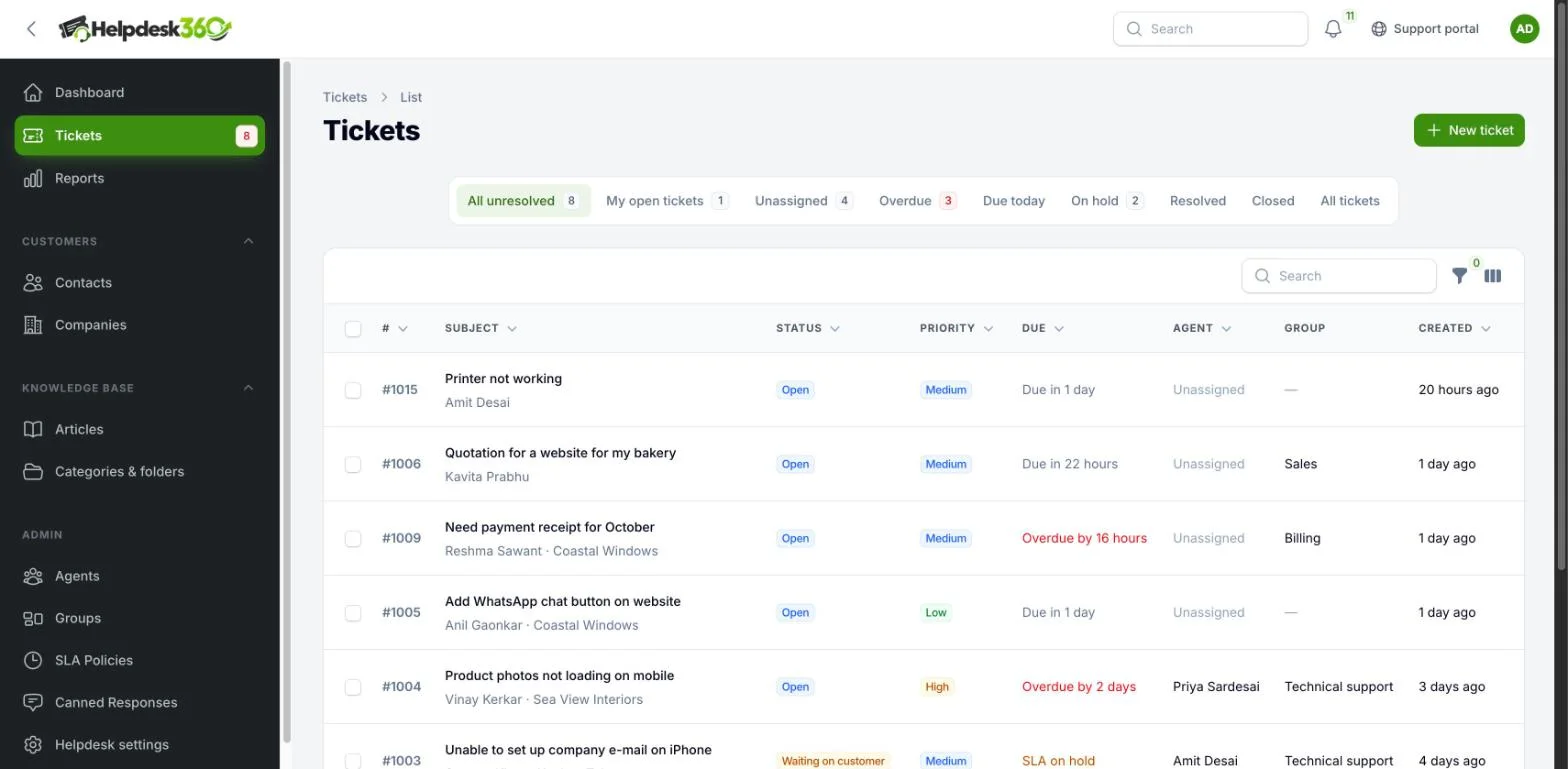
Requests from the support portal, email, phone and walk-ins should land in one list, so the whole team sees the same picture.
SLA timers and overdue alerts
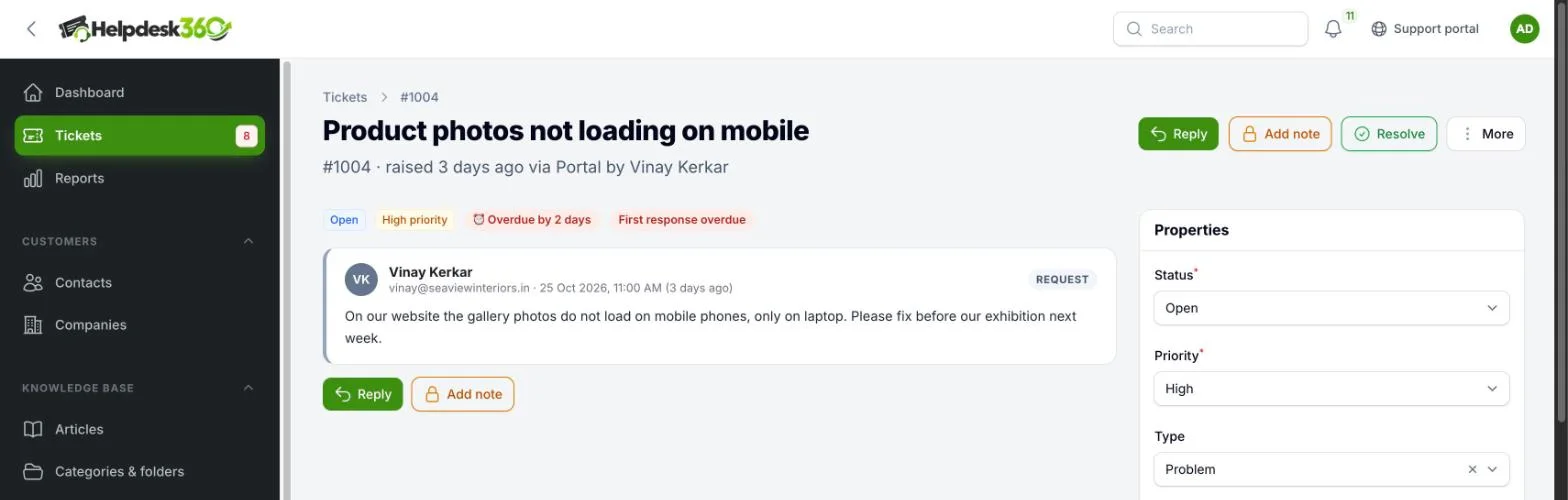
Set response and resolution targets by priority. Each ticket shows when it is due, and flags such as “First response overdue” appear before customers have to chase you. When you are waiting on the customer or a third party, the SLA clock can be put on hold.
Automatic assignment and groups
Route tickets to teams such as billing, technical or service, so nothing sits unassigned.
Canned responses and private notes
Save answers to common questions and discuss a ticket internally without the customer seeing.
A support portal and self-service knowledge base
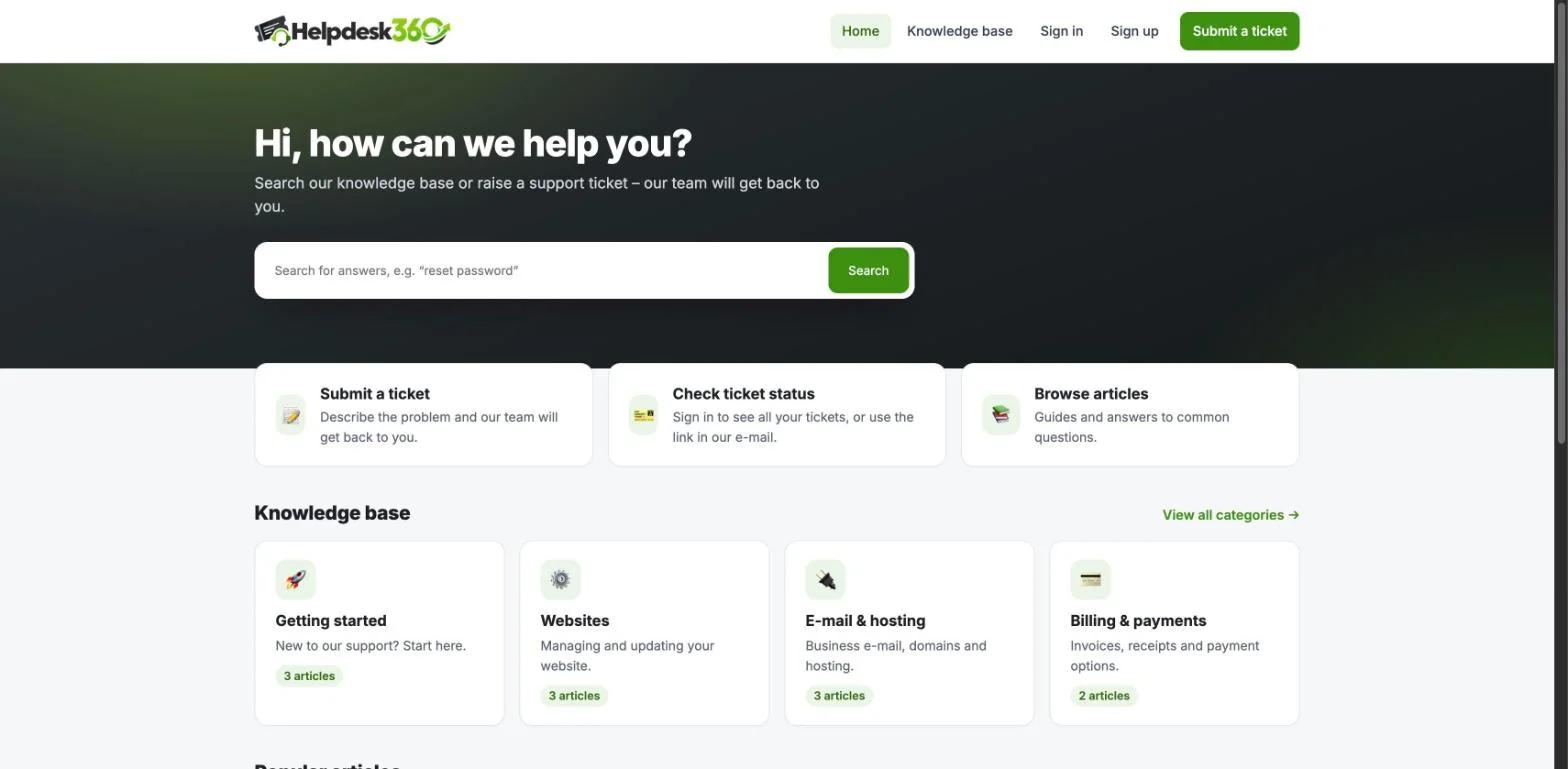
Give customers one place to submit a ticket, check its status and search answers, so they can help themselves and repeat questions drop.
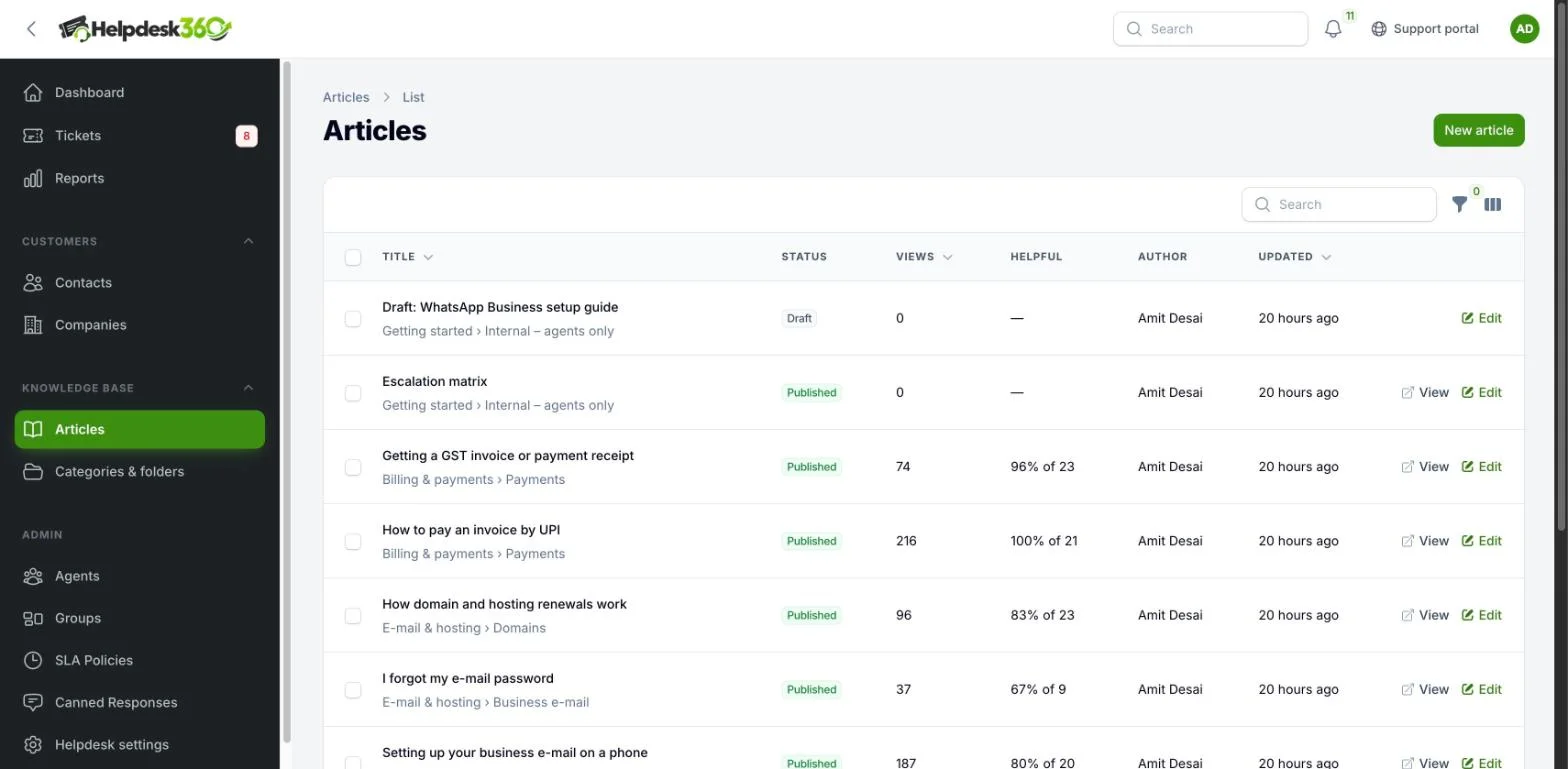
Your team writes the articles, organised in categories, and can see how many people viewed each one and found it helpful.
Reports and satisfaction ratings
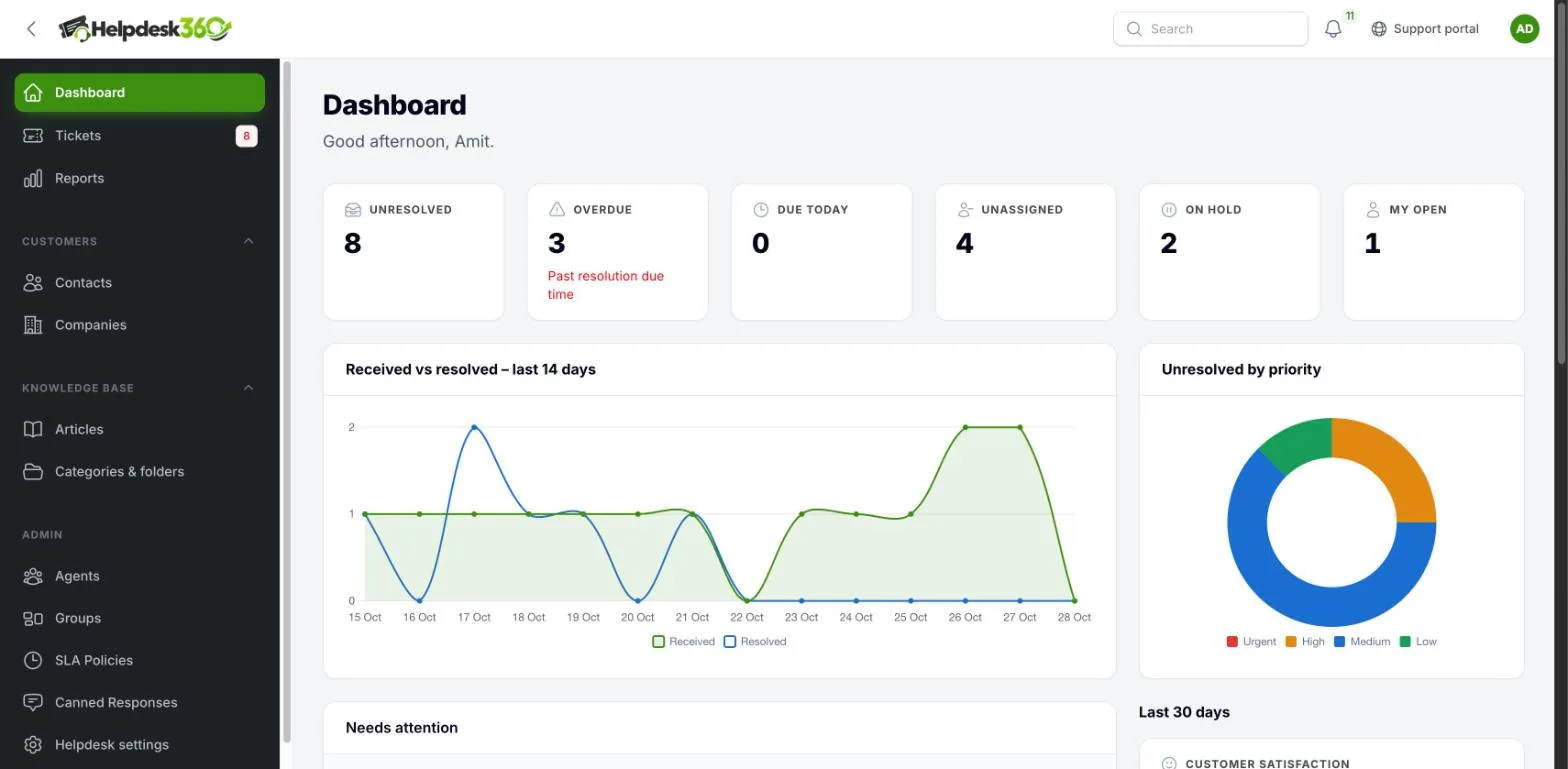
Track tickets received against tickets resolved, open tickets by priority, and how happy customers are.
How to switch in a week
- List your request types and who handles each.
- Agree simple SLA targets, for example by priority.
- Write ten canned responses for your most common questions.
- Connect your support email and add a support portal link to your website and WhatsApp replies.
- Train the team in one session and start logging every request.
How Helpdesk360 does this

Helpdesk360 is helpdesk and ticketing software built by Re-Infotech in Goa. The screenshots in this article are from Helpdesk360 with sample data: the dashboard, the ticket list with due times, a ticket flagged “First response overdue”, the customer support portal and the knowledge base. Customer names in the screenshots are made up. It suits IT and service companies, hospitals and clinics, schools, housing societies and any business that answers customer requests every day.
Book a free demo to see it with your own request types.
Related guides: What is an SLA in customer support? · WhatsApp sales: a 7-step guide.
Sources and further reading
Official sources we referred to. Laws and platform rules change, so check the latest version.
- WhatsApp Business Messaging Policy (Meta)
- Digital Personal Data Protection Act, 2023 (India Code, Government of India)
Frequently asked questions
What is a ticketing system?
A ticketing system records every customer request as a ticket with an owner, priority and due time, so the team can track it from first message to resolution in one shared inbox.
Is a helpdesk system worth it for a small business?
Yes, if you receive customer requests every day through several channels. It stops requests being lost, shows what is overdue and reduces repeat questions through a knowledge base.
Can customers raise tickets from WhatsApp or phone calls?
Requests from calls, WhatsApp or walk-ins can be logged as tickets by your team, and customers can raise and track tickets themselves through a support portal or email.
How long does it take to set up a helpdesk?
A small team can usually start within a week: set up request types, SLA targets, canned responses and the support email, then train the team in one session.