
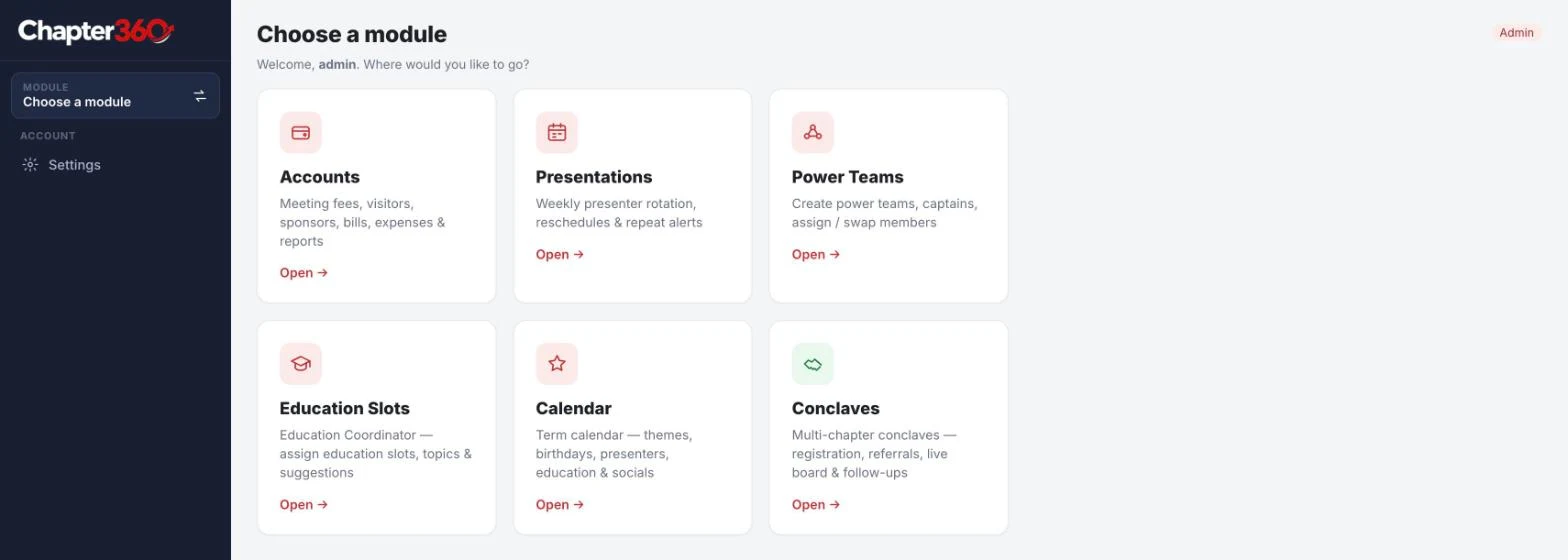
Short answer: Chapter360 is web-based chapter management software that helps a BNI chapter run its own back office. It has six modules: Accounts for meeting fees and expenses, Presentations for the weekly presenter roster, Power Teams, Education Slots, a term Calendar and Conclaves for multi-chapter events. The Leadership Team gets one place to plan and record the term, and members get a clear view of when they present, what is coming up and where the chapter’s money stands.
Please note: Chapter360 is an independent product of Re-Infotech. It is not affiliated with, endorsed by or sponsored by BNI. BNI and BNI Connect are trademarks of their owner and are named here only to describe who the software is useful for.

Which Chapter360 module answers which chapter problem?
Most people reach this page while searching for help with one job in their chapter. This table points you to the right section.
| If you are looking for | Usually handled by | Chapter360 module |
|---|---|---|
| Tracking meeting fees, visitor fees and chapter expenses | Secretary Treasurer | Accounts |
| A fair roster for weekly feature presentations | Vice President, presentation coordinator | Presentations |
| Forming Power Teams and checking that they meet | Power Team coordinator, captains | Power Teams |
| Planning education slot topics and speakers | Education Coordinator | Education Slots |
| One calendar for the whole term | President, Leadership Team, every member | Calendar |
| Running a conclave or multi-chapter event with QR check-in, 1-2-1s and referrals | Events team, host chapter | Conclaves |
Why BNI chapters outgrow spreadsheets and WhatsApp
A BNI chapter meets every week, and a lot of small jobs sit behind each meeting. Someone collects meeting fees and pays the venue. Someone decides who gives the feature presentation. Someone lines up the education slot, keeps Power Teams active and tells members what is planned for the coming weeks.
In most chapters this work lives in personal Excel sheets, paper registers and WhatsApp messages. That works until the Leadership Team changes. The new Secretary Treasurer inherits a sheet only the previous one understood, the presentation roster has to be rebuilt from memory, and members keep asking the same questions in the group: “When is my presentation?”, “Have I paid for this month?”, “What is the theme next week?”
Chapter360 puts this routine in one place. Each chapter gets its own secure web address, it works on a phone as well as a laptop, and every role sees only the modules it needs.
Meeting fees and chapter accounts for the Secretary Treasurer
The Accounts module is built for the Secretary Treasurer. It answers the two questions every treasurer is asked: who has paid, and where did the money go.
- Member meeting fees: record fees for the full term or month by month, with part-payments, the payment mode (cash, UPI or card) and a reference number.
- Paid and not-paid grid: see every member against every month on one screen, so follow-ups are quick and nobody is chased by mistake.
- Visitor and observer fees: record what is collected at the door at each meeting.
- Sponsor funds, venue bills and other expenses: enter them as they happen.
- Receipts and Payments: a live statement with the opening balance and a closing balance that carries forward to the next term.
- Reports: print-ready statements, a comparison across terms and summary (MIS) reports for the Leadership Team.
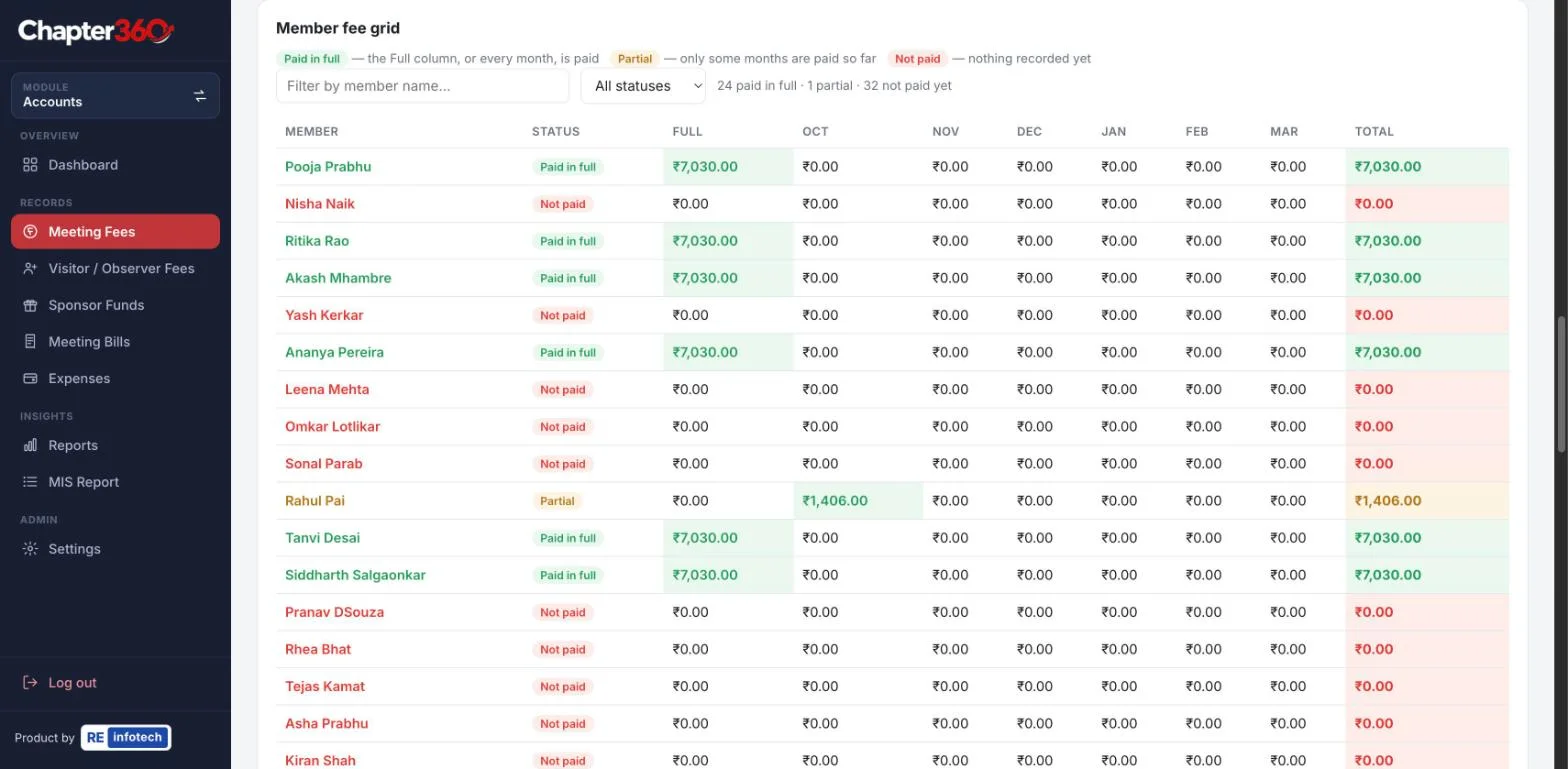
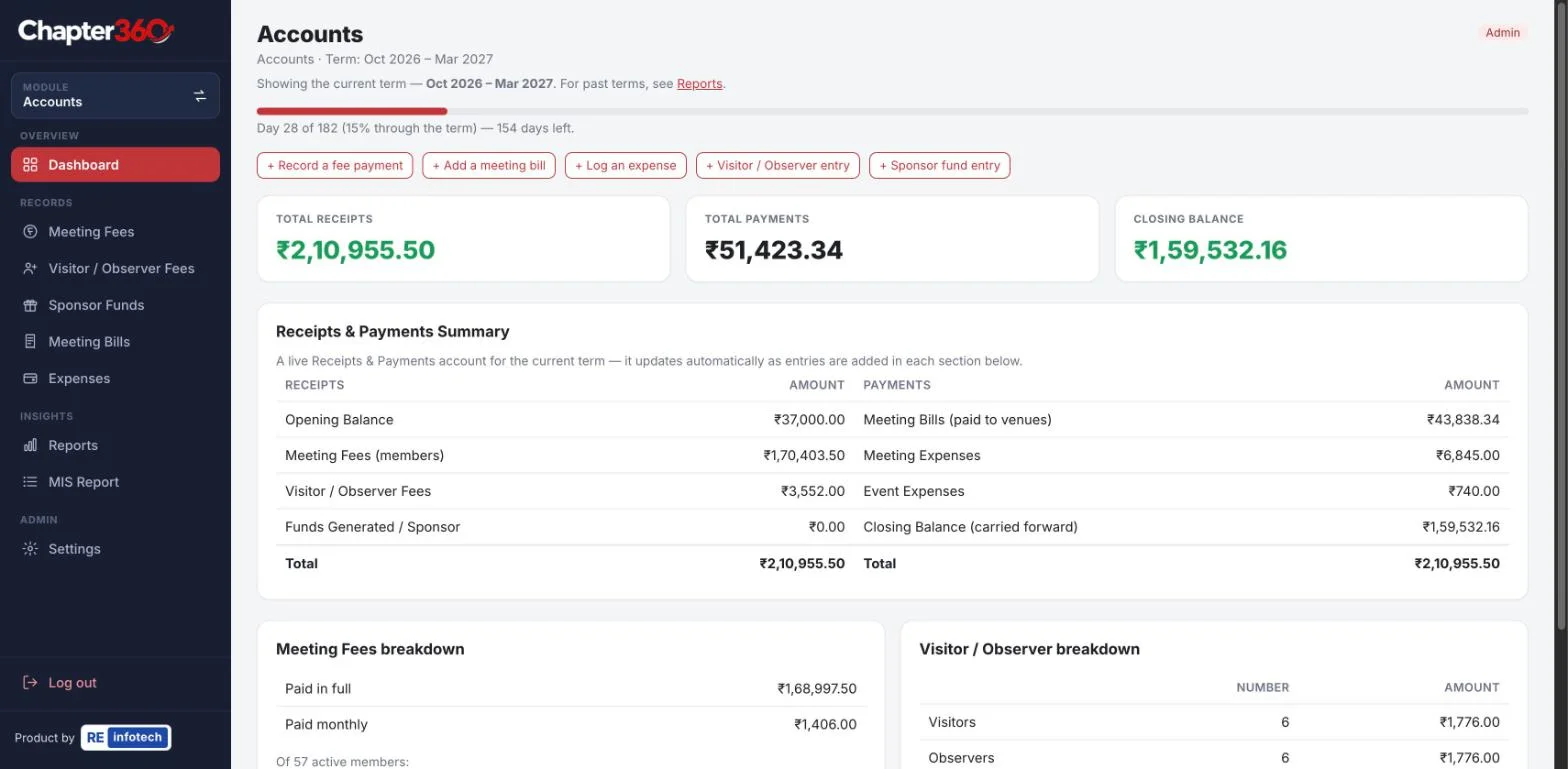
How this helps members: payments are recorded with a mode and reference, so there is less confusion about whether a fee was received, and the chapter’s accounts can be presented clearly when the term ends.
A fair roster for weekly feature presentations
The feature presentation is a member’s best chance to explain their business in depth, so the roster has to be fair. The Presentations module plans it for the whole term.
- Plan two presenters a week, with every member presenting at least once in the term.
- Generate the roster automatically. The members who have waited longest are placed first.
- Mark a member as unavailable until a date, for travel or a busy season, and the roster works around it.
- Swap, reschedule or replace a presenter when plans change. Past meetings are locked so the history stays accurate.
- Get an alert when the remaining meetings are too few for everyone to present, with a suggestion to add a third slot.
- Export to CSV or print, and see the presenters appear in the chapter Calendar automatically.
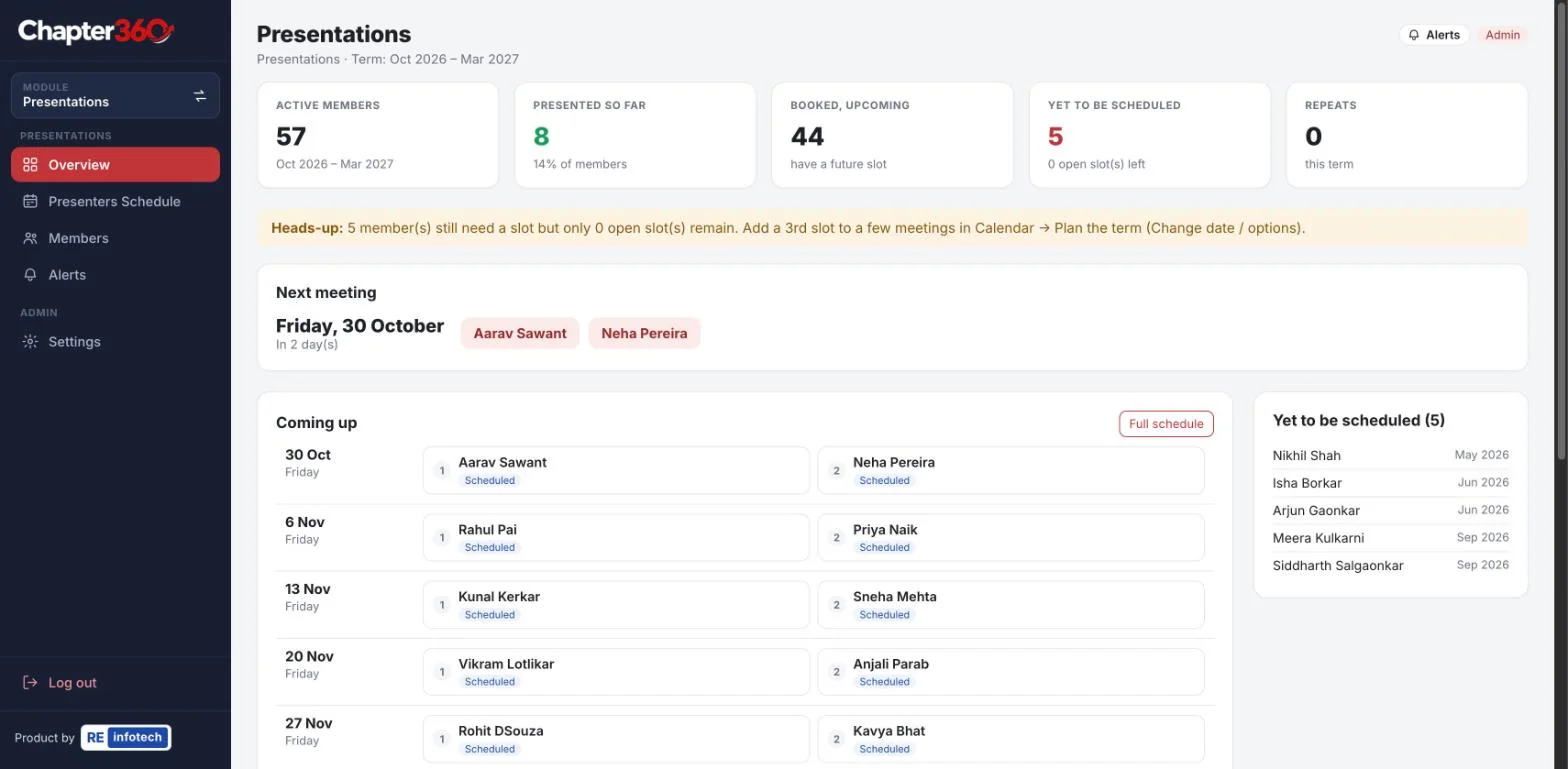
How this helps members: you know your presentation date well in advance, so you can prepare properly and invite the visitors you want in the room that day.
Power Teams: form them and keep them meeting
A Power Team is a group of members from complementary, non-competing professions who serve the same kind of customer, for example an architect, an interior designer and a builder. Power Teams produce referrals only when they meet regularly, and that is the part that usually slips.
- Create teams and assign members by hand, or let Chapter360 group them automatically by business category.
- Name a captain and a vice captain for each team.
- Move a member to another team and keep the history.
- Set a fixed rhythm for each team, such as the second Tuesday of every month.
- Follow a monthly tracker that marks each meeting as held, scheduled, missed or needing an update, with attendance and notes.
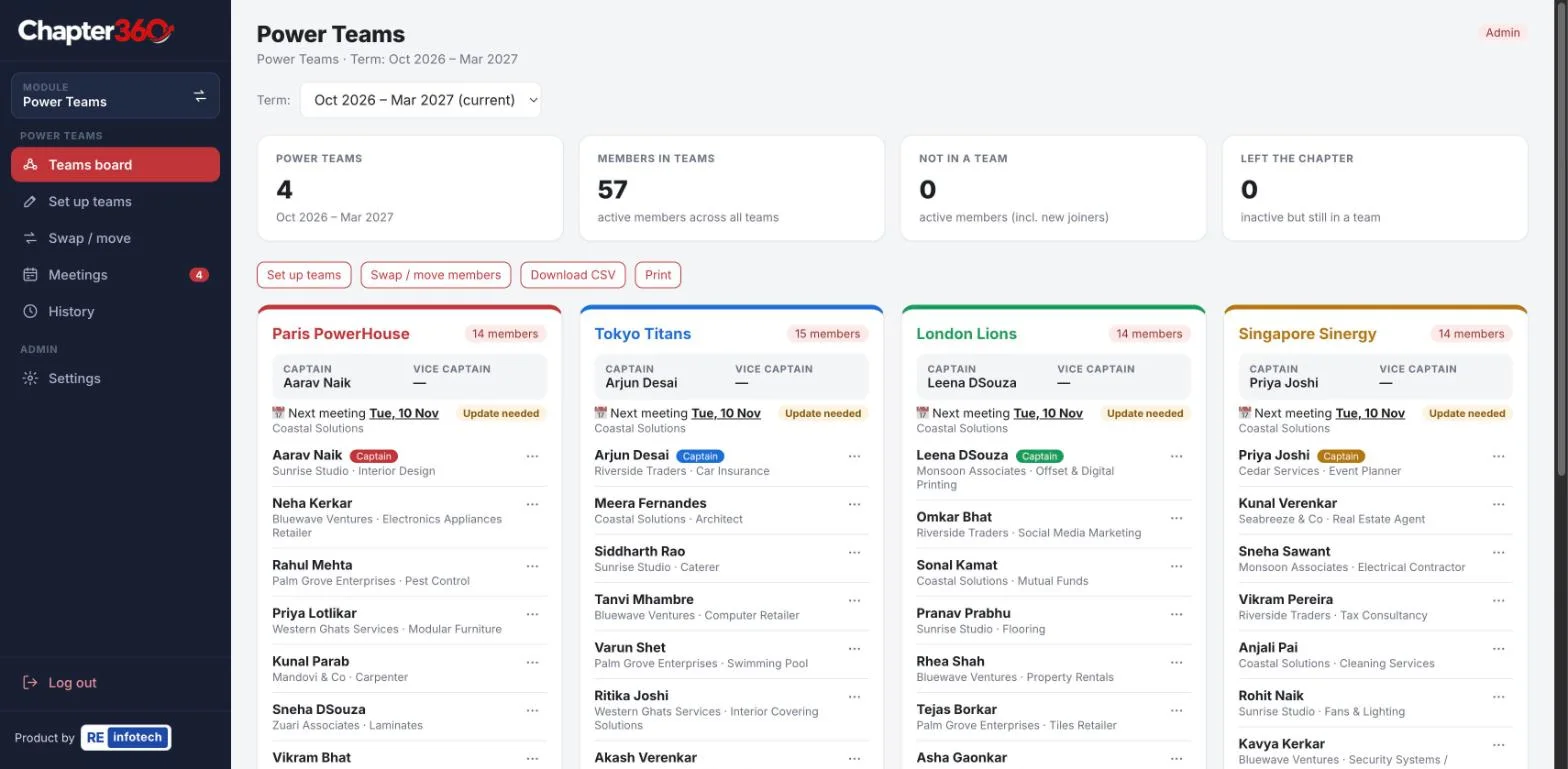
How this helps members: you know which team you belong to, who leads it and when it meets next. The Vice President and the coordinator can see which teams are active and which need a nudge.
Education slots: topics, speakers and no repeats
The education slot is short, but planning one for every meeting of the term is real work for the Education Coordinator. The Education Slots module keeps it organised.
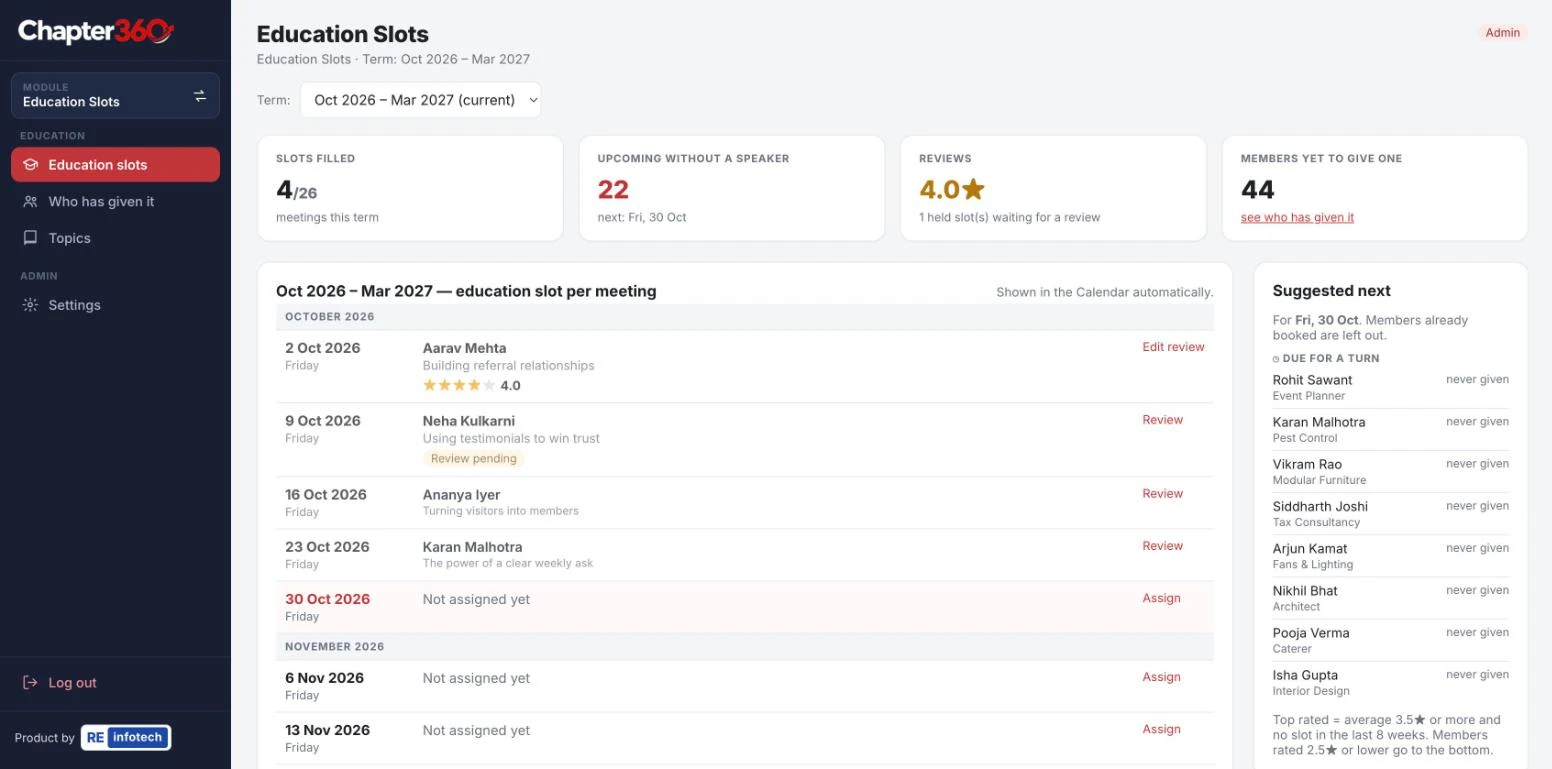
- One slot per meeting, given by a member or by a regional speaker.
- A topic library that shows how often each topic has been used and when it was last used, so the chapter does not hear the same talk twice in a term.
- Suggestions for members who are due a turn.
- A star rating for each session, to see which topics landed well.
- Each slot appears in the chapter Calendar automatically.
One calendar for the whole term
The Calendar module shows the whole term in a single table, so the President and the Leadership Team plan from the same page as the members.
- Weekly themes and Power of One focus areas.
- Presenters and education slots, filled in automatically from the other modules.
- Member birthdays, socials, games and conclaves.
- Holiday handling for weeks when the chapter does not meet.
- A read-only public link that can be shared in the chapter’s WhatsApp group, so members can check the calendar without a login.
- CSV export, print, and planning for the next term before the current one ends.
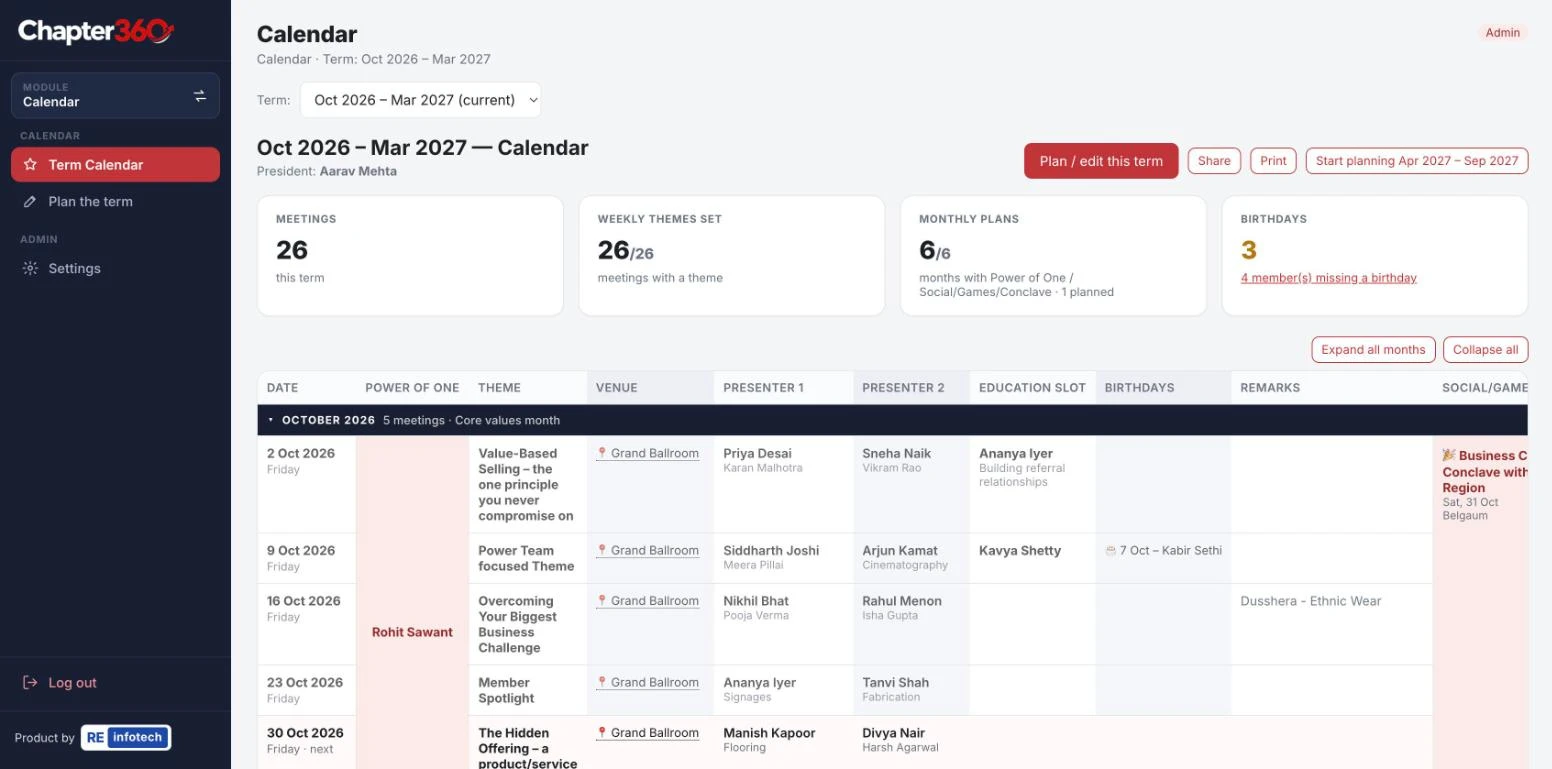
How this helps members: one link answers “what is happening next week” for the whole chapter.
Conclaves and multi-chapter events with QR codes
When several chapters come together for a conclave, the hard parts are registration, getting people to meet outside their own chapter, and knowing afterwards what business came out of the day. The Conclaves module handles all three.
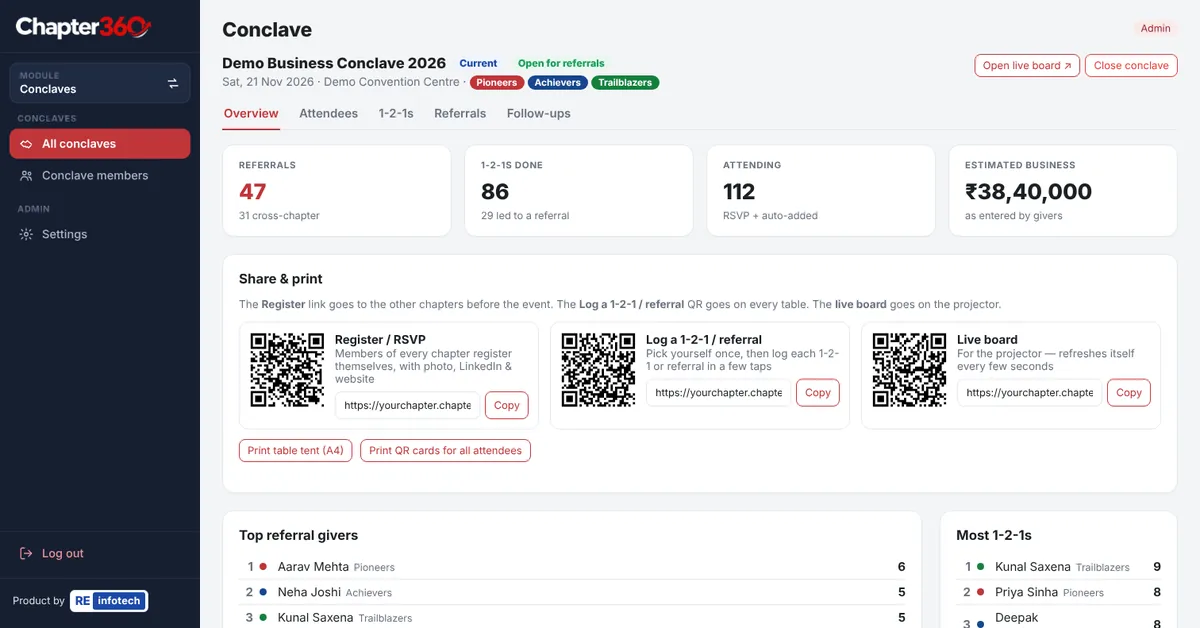
- Before the event: registration and RSVP through a QR code or link, with a consent box, and a personal QR card for each attendee.
- On the day: printed table tents carry a table QR code. Attendees scan it to log 1-2-1s and referrals, including the client, the need, how warm the referral is and its estimated value.
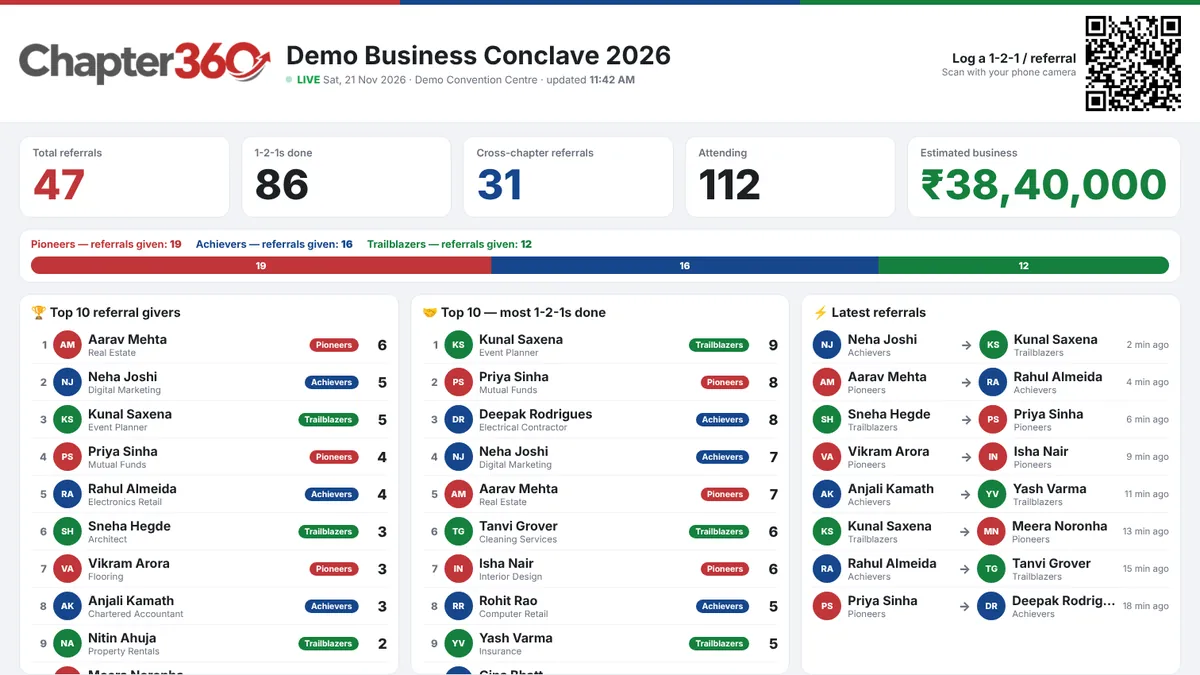
- Live scoreboard: a board on the big screen shows activity as it happens.
- After the event: a members directory, the full referral list with CSV export, final results once the conclave is closed, and WhatsApp follow-up messages that the organiser reviews and sends by hand.
Attendees do not install an app or create a login. Everything runs in the phone browser.
What members gain, in short
- You know your feature presentation date early and can prepare for it.
- You can check the term calendar from a link in the WhatsApp group.
- You know your Power Team, its captain and its next meeting.
- Your fee payments are recorded with a mode and reference.
- At a conclave, the referrals and 1-2-1s you log are saved, so follow-up does not depend on visiting cards.
What the Leadership Team gains
- A clean handover: accounts, rosters, teams and the calendar stay with the chapter when the Leadership Team changes, with the closing balance carried into the new term.
- Role-based access: a Super Admin gives each person edit or view rights for the modules they handle. The Secretary Treasurer works in Accounts, the Education Coordinator in Education Slots, and so on.
- Less repeat work: presenters and education slots flow into the Calendar on their own.
- Fewer questions in the group: members look things up themselves.
What Chapter360 does not do
Chapter360 does not replace BNI Connect or any official BNI system, and it is not meant to. Official records such as referrals and attendance continue to be kept the way BNI requires. Chapter360 looks after the chapter’s own working around the meeting: the money, the rosters, the teams, the calendar and events.
How to get started
- Book a free demo. We show each module with sample data and answer your Leadership Team’s questions.
- Get your chapter’s address. Each chapter has its own secure web address.
- Add members and roles. The Super Admin decides who can edit or view each module.
- Enter the term. Add the opening balance and meeting dates, then generate the presentation roster.
- Share the calendar link in the chapter’s WhatsApp group.
See the full feature list on the Chapter360 page or at chapter360.in, or contact Re-Infotech to book a free demo. Chapter360 is built and supported by Re-Infotech, an IT company in Ponda, Goa.
Sources and further reading
Background on how chapters and Power Teams work, from BNI’s own sites. These are independent of Re-Infotech.
- BNI: official website (BNI Global)
- Why Every Business Owner Needs a Power Team (BNI India Official Blog)
- Chapter360 product website (Re-Infotech)
Frequently asked questions
Is Chapter360 an official BNI product?
No. Chapter360 is an independent product built by Re-Infotech in Ponda, Goa. It is not affiliated with, endorsed by or sponsored by BNI. It is built for the way business networking chapters run, and BNI chapters are among the groups it suits.
Does Chapter360 replace BNI Connect?
No. Chapter360 does not replace BNI Connect or any official BNI system. Referrals, attendance and other official records continue to be kept the way BNI requires. Chapter360 covers the chapter’s own working: accounts, the presentation roster, Power Teams, education slots, the term calendar and conclaves.
How can a Secretary Treasurer track meeting fees for every member?
In the Accounts module, each member’s meeting fee can be recorded for the full term or month by month, including part-payments, the payment mode and a reference. A grid shows who has paid and who has not, and receipts and payments update as entries are made.
How do we schedule feature presentations so every member gets a fair turn?
The Presentations module can generate the roster automatically, placing the members who have waited longest first. You can mark members as unavailable until a date, swap or reschedule slots, and the module alerts you when the remaining meetings are not enough for everyone to present once in the term.
Can Chapter360 track whether Power Teams are meeting?
Yes. Each Power Team has a captain, a vice captain and a fixed meeting rhythm, for example the second Tuesday of the month. A monthly tracker shows each meeting as held, scheduled, missed or needing an update, with attendance and notes.
Can members see the chapter calendar without logging in?
Yes. The Calendar module has a read-only public link that can be shared in the chapter’s WhatsApp group. Members see presenters, education slots, themes, socials and birthdays for the term without needing a login.
Do attendees need an app to take part in a conclave?
No. Attendees register and RSVP through a QR code or link, receive a personal QR card, and log 1-2-1s and referrals by scanning the QR code on their table. Everything runs in the phone browser, with no app and no login.
How much does Chapter360 cost?
Re-Infotech does not publish a price list for Chapter360. You can book a free demo, see the modules with sample data, and get a quote for your chapter.