

ShowQR by Re-Infotech
ShowQR: your digital visiting card, shared with one QR code
ShowQR replaces paper visiting cards with a digital card and QR code. People scan it to call, email or WhatsApp you, save your number, see your services and share your card, and you can update it at any time without reprinting anything.

What is ShowQR?
ShowQR is a digital visiting card service from Re-Infotech. You get an online profile with your contact details, social links, services and payment details, and a QR code that opens it. Companies can manage cards for their whole team from one dashboard. See it at showqr.in.
See it in action
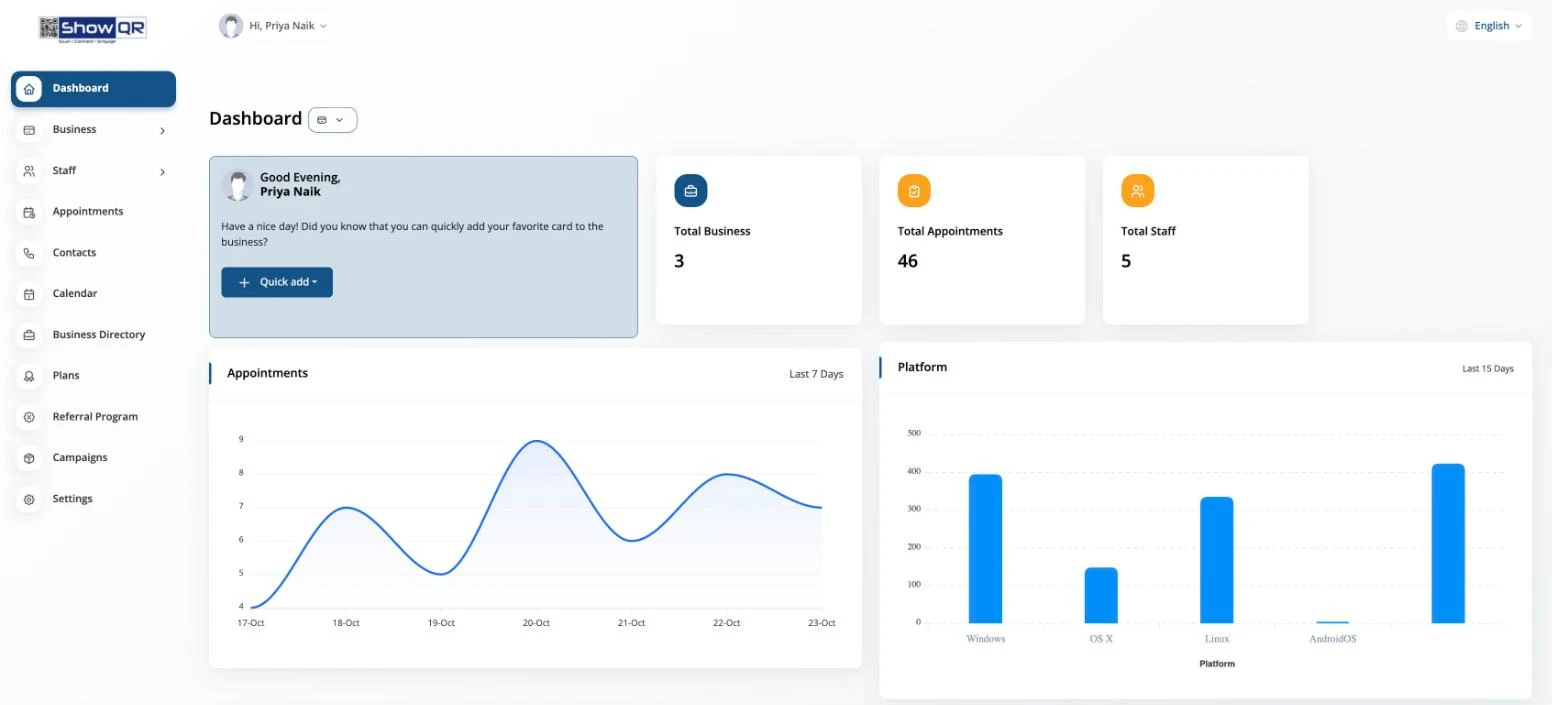
Every card, contact and appointment in one dashboard
Who it’s for
For professionals and teams who network
ShowQR suits anyone who hands out visiting cards: business owners, sales teams, consultants, financial advisors, designers and other professionals. Your card is always up to date, works on any phone and never runs out.
For companies, ShowQR lets you create and manage cards for your staff, keep branding consistent and see how often cards are viewed.
Running a business networking chapter? See Chapter360, our chapter management software.
- Business owners and consultants
- Sales and business development teams
- Financial advisors and agents
- Companies managing cards for their staff
Features
Everything your visiting card can’t do
QR code that never changes
Edit your details any time; your QR code stays the same.
One-tap actions
Visitors can call, email or WhatsApp you, save your number or share your card.
Services and portfolio
Show your services with images, plus social links and payment details.
Team cards
Create and manage cards for multiple staff from one dashboard.
Analytics
See how your cards are viewed and used.
Themes and branding
Choose a theme, add your branding and use a custom domain.
Who uses ShowQR
- Business owners and consultants who meet many people at events and networking meetings
- Sales teams who need consistent, up-to-date contact cards for every staff member
- Doctors, lawyers and other professionals who want clients to save their details and book appointments easily
- Shops, cafés and clinics that want a QR at the counter for contact, location and WhatsApp
How to share your ShowQR card
- Show the QR code on your phone or print it on your visiting card, standee or brochure.
- The other person scans it with their phone camera. No app is needed.
- They see your profile and can call, WhatsApp, email, open your location or save your contact in one tap.
FAQ
Frequently asked questions
You create your digital card online and get a QR code. When someone scans it, your card opens on their phone, where they can call, WhatsApp, email or save your contact.
Yes. You can edit your card at any time and the same QR code keeps working, so there is nothing to reprint.
Yes. Business plans let you create and manage cards for multiple team members from one dashboard.
Plans start from an annual subscription, with a lifetime option for larger teams. Book a free demo and we will recommend the right plan.
A digital card never runs out, can be updated at any time, and lets people save your contact, WhatsApp you or find your location in one tap. Many people use both: a paper card with a ShowQR code printed on it.
No. Any phone camera can scan the ShowQR code and open your card in the browser.
Book a free demo
Tell us a little about your organisation and we will call you back to arrange a free demo of ShowQR.
2nd Floor, Ponda Commerce Centre, SO-15, Tiska, Durgabhat, Ponda, Goa 403401
Monday to Saturday, 10 am to 6 pm
enquiry@re-infotech.com
What happens after you send this
We contact you
We call or WhatsApp you during working hours, Monday to Saturday, 10 am to 6 pm.
We listen
A short conversation about your business, goals and current setup.
You get a plan
Clear recommendations, scope and a fixed quote, with no obligation.
Your details are used only to respond to your enquiry. See our Privacy Notice.
Last updated: