
Short answer: A Hospital Management System (HMS) brings appointments, patient records, billing, pharmacy, lab and reports into one secure system. Its main benefits are faster patient management, streamlined operations, better data security, clearer reporting for decisions and easier compliance with record-keeping requirements.
What is a Hospital Management System?
A Hospital Management System (HMS) is software that helps clinics and hospitals manage administrative, financial and clinical work in one place. Typical modules include registration, appointments, electronic medical records, billing, pharmacy, laboratory, inventory and reporting.
5 key benefits
1. Efficient patient management
Online or front-desk appointment booking, quick registration and a single patient record reduce waiting time and paperwork. Doctors see history, prescriptions and reports instantly.
2. Streamlined operations
Automating billing, discharge, pharmacy stock and lab workflows reduces manual entry and errors, and frees staff to focus on patients.
3. Better data security
Role-based access, audit trails and secure backups protect sensitive patient information far better than paper files or scattered spreadsheets.
4. Better decision making
Dashboards show patient volumes, revenue, department performance, stock levels and outstanding payments, so management can plan with real data.
5. Easier compliance
Consistent digital records, reports and audit trails make it easier to meet regulatory and accreditation documentation requirements.
Modules to look for
- Patient registration and appointments
- Electronic medical records (EMR) and prescriptions
- OPD and IPD management
- Billing, insurance and payments
- Pharmacy and inventory
- Laboratory and radiology reports
- Reports and analytics
- User roles, permissions and audit logs
Ready-made or custom HMS?
Ready-made systems are quicker to start with when your workflow is standard. A custom or customised HMS suits hospitals with specific departments, workflows or integrations, such as connecting to existing billing, lab equipment or patient apps.
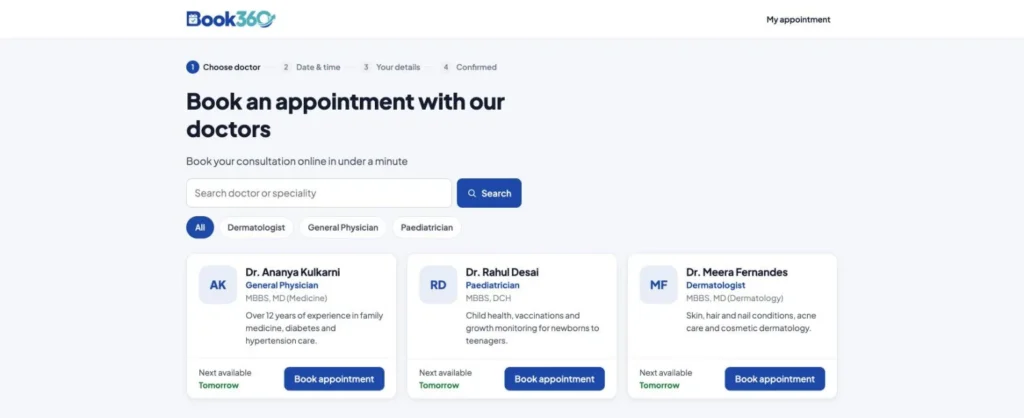
Looking for a system? Hospicare360 is our hospital information system, covering registration, appointments, patient records, billing, pharmacy, lab and reports. For online booking with automatic reminders, see Book360.

How to roll out an HMS without disrupting patient care
Most clinics and hospitals move to a new system in stages rather than all at once. A practical order:
- Map your current workflow: list how a patient moves from registration to billing, and which registers, Excel sheets or software you use today.
- Start with registration and billing: these touch every patient, so staff get used to the system quickly.
- Add clinical modules next: patient records, pharmacy and lab, once the front desk is comfortable.
- Train by role: reception, doctors, nurses and accounts each need only the screens they use.
- Run old and new side by side briefly: check that bills, stock and reports match before you stop the paper process.
- Set up access and backups from day one: give each user their own login and confirm backups run, because patient records are personal data protected under the DPDP Act.
Sources and further reading
Official sources we referred to. Laws and platform rules change, so check the latest version.
- Ayushman Bharat Digital Mission (ABDM) (National Health Authority)
- Digital Personal Data Protection Act, 2023 (India Code, Government of India)
Frequently asked questions
Is a Hospital Management System suitable for small clinics?
Yes. Small clinics can start with core modules such as appointments, patient records and billing, then add pharmacy, lab or inventory as they grow. Cloud-based systems keep upfront costs and IT requirements low.
How is patient data protected in an HMS?
A good HMS uses secure logins, role-based access so staff only see what they need, encrypted connections, audit logs of who viewed or changed records, and regular, tested backups.
How long does it take to implement an HMS?
A standard setup for a clinic can go live in a few weeks, including configuration, data migration and staff training. Larger hospitals or custom systems are usually implemented in phases over a few months.
Need help with this?
We build and customise healthcare software, including hospital and clinic management systems. See our custom software development service.